Skip to content
All features

Everything you need, nothing you don’t.

Four categories, twenty-plus tools — each one earned its slot on a real booth. Pick a tab, jump to the feature, share the deep link.

POS & sale management

Everything that happens between the customer reaching out and the receipt landing in their hands — sized for fat fingers and bad Wi-Fi.

Vendor Vault POS checkout screen on iPhone
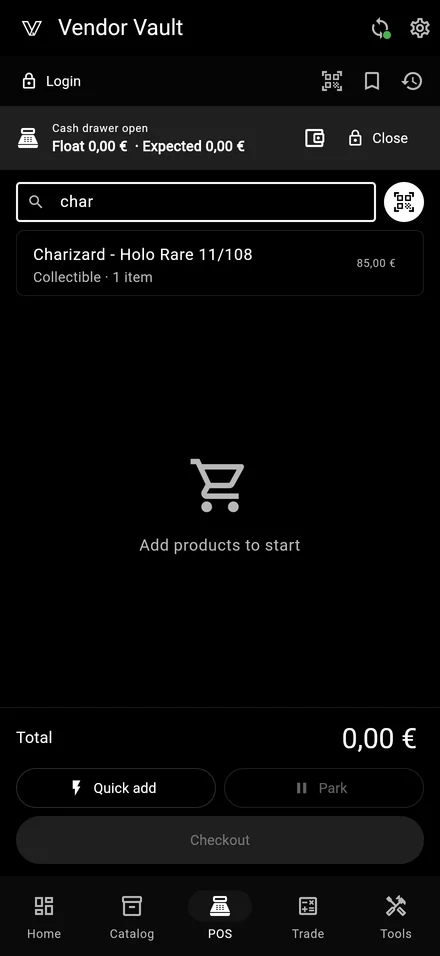
  • Fast POS with cash session

    Fast POS with cash session

    Open the cash session with the starting float, ring up sales, close the day with the reconciliation. Touch targets sized to be hit on the run, not at a desk, and the layout stays usable when the venue Wi-Fi disappears.

    • Cash session with starting float + end-of-day reconciliation
    • Mixed payments (cash + trade credit + external card)
    • Parked carts when the customer says "I’ll be back"
    • Ghost items for bulk sales without polluting the catalog
    • Touch targets ≥ 50dp for fair-floor speed
  • Barcode scan EAN-13 / UPC-A

    Point the camera at a sealed product or graded slab — the EAN-13 or UPC-A is captured, the product is matched in the catalog and added to the cart. No keyboard, no typing, no looking up SKUs by hand.

    • EAN-13 / UPC-A native scan via mobile camera
    • Auto-match against your catalog and the bundled TCG DB
    • Falls back to a manual code entry when the symbol is damaged
    • Works at the checkout counter and in the catalog add-product flow
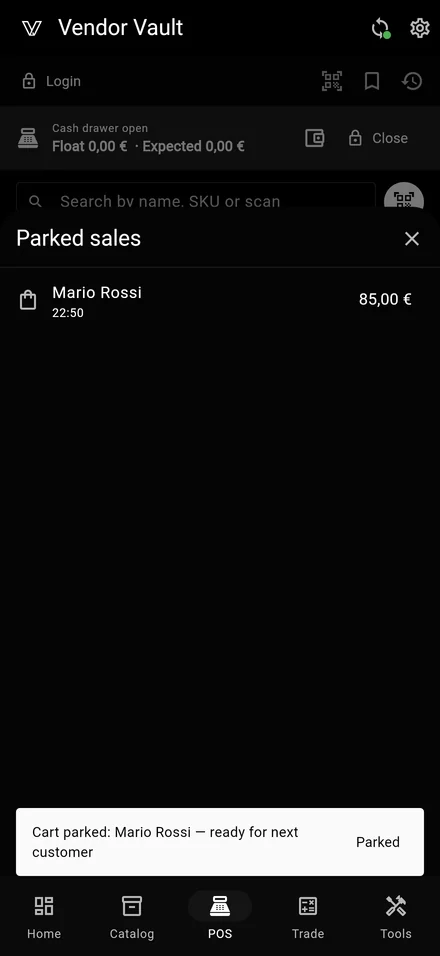
  • Parked carts & quick recall

    Parked carts & quick recall

    A customer asks to come back with their card or to think about it: park the cart in two taps, name it after them, recall it later from the active sessions list. No lost sales, no awkward re-entry of every item.

    • Park any open cart with a custom label
    • Recall the cart from the active sessions sheet
    • Survives app restarts and switching cashiers
    • Auto-cleared at end of session if abandoned
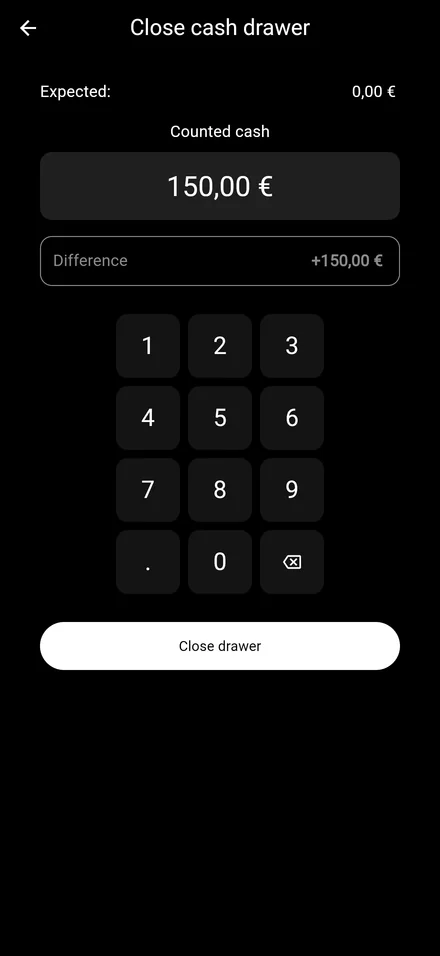
  • Cash drawer & reconciliation

    Cash drawer & reconciliation

    Track the cash flowing in and out of the till during the day, then run a reconciliation at end of session: expected vs counted, surplus or shortfall highlighted, history persisted per fair so you can audit any past day.

    • Starting float + manual cash movements (in/out)
    • Expected vs counted at end of day, delta highlighted
    • Per-event cash session history
    • Optional notes attached to each adjustment
  • Pro

    QR receipts (no paper needed)

    After every sale you can show the customer a QR code that opens a digital receipt page on their phone — itemized list, totals and timestamps. No printer at the booth, no paper roll to refill. The fiscal receipt, if needed, still comes from your external cash register.

    • On-screen QR receipt right after checkout
    • Pro branding (logo + accent) shown on the receipt page
    • No thermal printer, no paper, no battery drain
    • Fiscal receipt remains the external cash register’s job
  • Per-line and per-cart discounts

    Apply a discount to a single line item or to the whole cart in two taps — percent or fixed amount. The math is always shown so the customer never has to ask "wait, how much exactly?".

    • Per-line and per-cart discounts side by side
    • Percent (%) or fixed amount (€)
    • Discount breakdown visible on the receipt
    • Negative ROI guardrail when the discount eats the margin
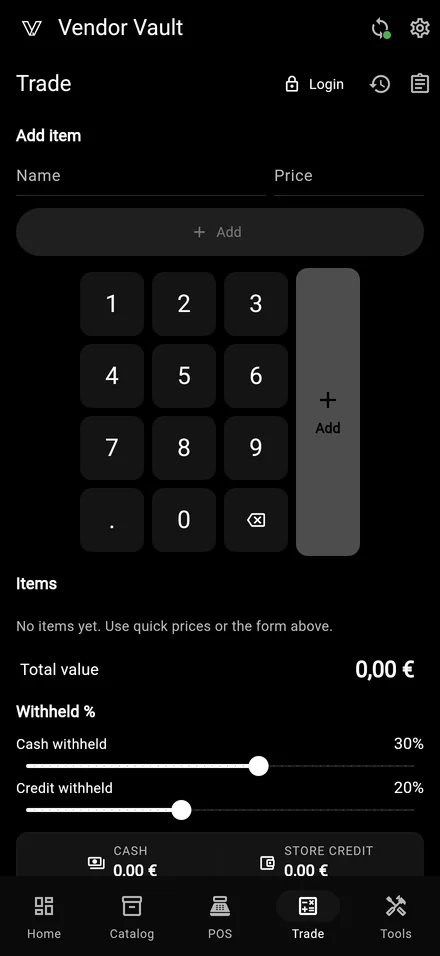
  • Trade-in calculator

    Trade-in calculator

    Two adjustable sliders for cash vs store credit, the customer picks the offer they prefer and you apply it directly at the next checkout. A photo of the trade-in is saved with the deal to prevent disputes later.

    • Independent sliders for cash vs store credit %
    • Photo of the trade-in saved in history
    • One-tap apply to the next sale at checkout
    • C2C declaration PDF on Pro for cross-border fairs

Sync & backup

Offline-first by default. When connectivity exists, your devices catch up. When it doesn’t, the booth keeps moving.

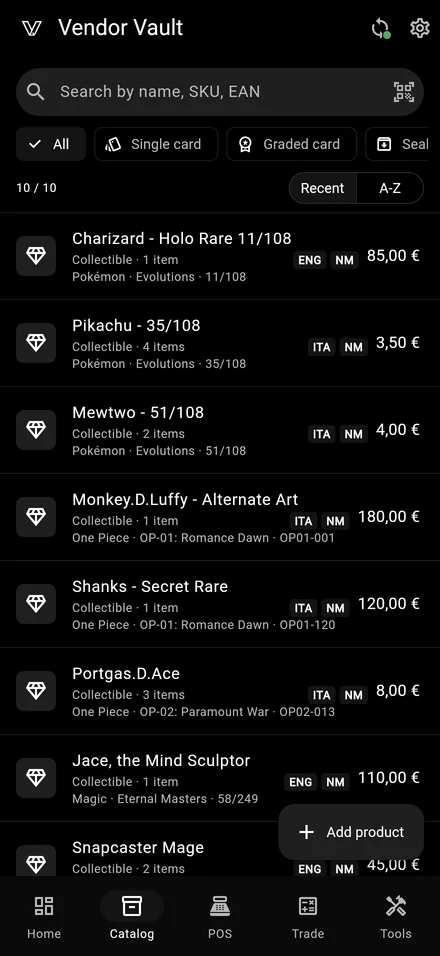
Vendor Vault catalog grid syncing across devices on iPhone
  • Cross-device real-time sync
    Pro

    Cross-device real-time sync

    Phone at the till, tablet on the table, laptop in the back office. Every sale, every catalog edit, every photo flows in real time so the team never argues about whose copy is right. Conflicts resolved last-write-wins per row.

    • Realtime updates on every signed-in device
    • Last-write-wins per row — predictable conflicts
    • Tombstone-aware: deletes propagate cleanly
    • Works at a fair with three devices on the same booth
  • Offline-first, always

    The app never blocks waiting for the network. Free never opens a connection at all — zero traffic. Pro syncs in the background only when there is signal, queues changes when there isn’t and reconciles the moment the venue Wi-Fi comes back.

    • No `await network` in any UI handler — never frozen UI
    • Free tier: zero cloud traffic, ever
    • Pro: background sync with retry + queue
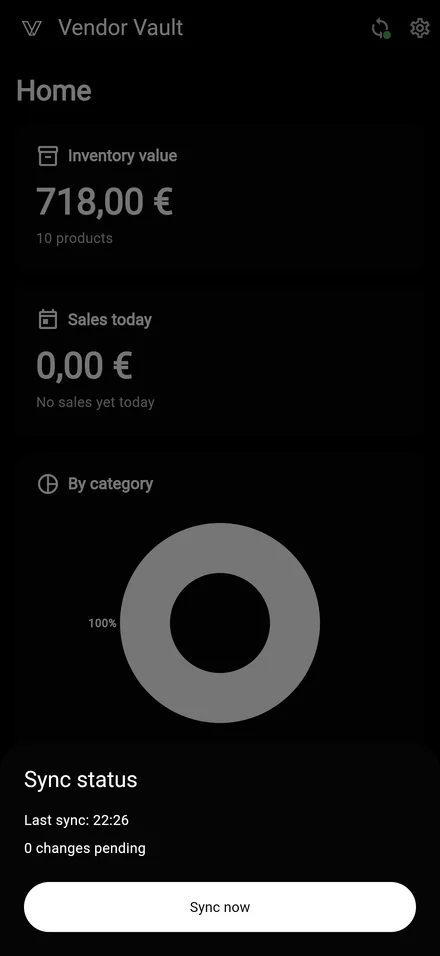
    • Sync status pill always visible: green / orange / red
  • Last-write-wins per row
    Pro

    Last-write-wins per row

    Two devices edit the same product offline? When they reconnect, the most recent change wins on a per-row basis — not per-cart, not per-table. Predictable, transparent, no manual merge to babysit.

    • Per-row resolution — surgical, not coarse
    • updated_at server-side timestamp arbitrates
    • Hard-delete tombstones replicate too
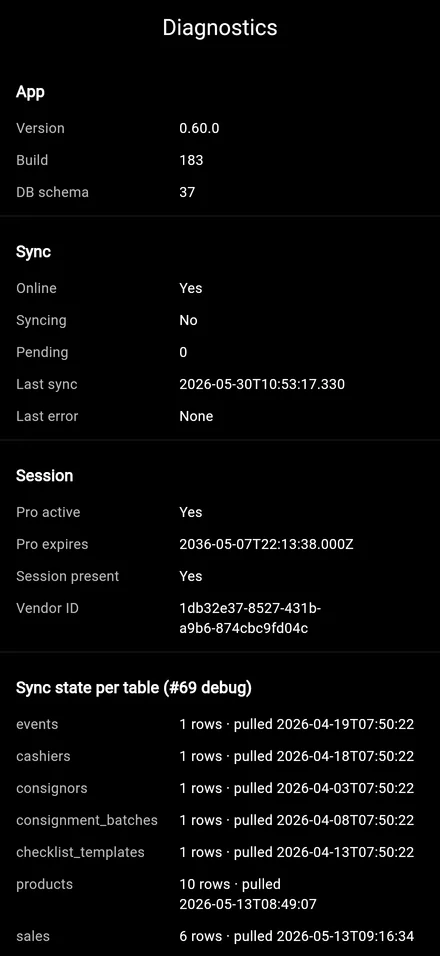
    • Manual conflict log in Diagnostics for audit
  • Cloud backup & restore
    Pro

    Cloud backup & restore

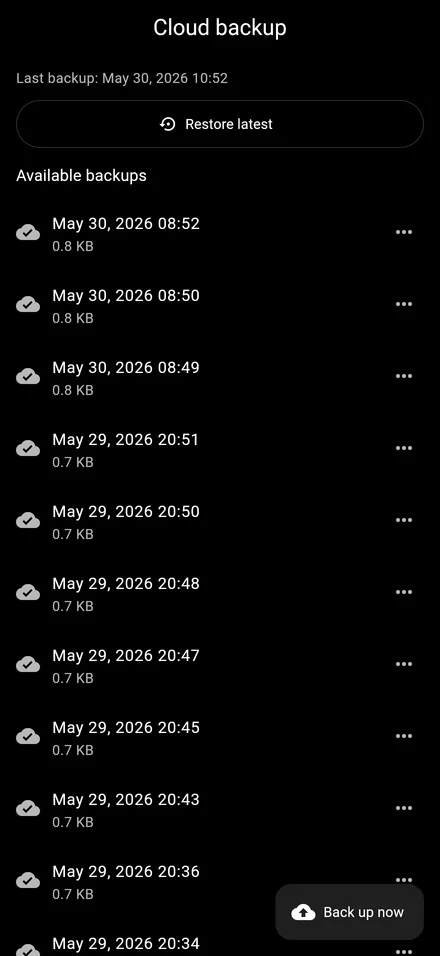
    Lost a phone? Switched device mid-fair? One login and your full catalog, sales history, photos and settings are back where you left them — including photos that survive iOS sandbox UUID rotation across app updates. Encrypted automatic backup, no manual export needed.

    • Automatic encrypted cloud backup, zero manual steps
    • Restore from any device in a single login
    • Photos kept after Pro→Free downgrade (permanent retention)
    • Self-heals iOS sandbox path rotation on reinstall
  • Up to 5 cloud photos per product
    Pro

    Up to 5 cloud photos per product

    Upload and sync up to 5 photos per product, WebP optimized (~100 KB each). Private encrypted EU cloud storage. Photos travel with the product across all your devices and stay even if you go back to Free.

    • Up to 5 photos per product, sync across all devices
    • WebP optimized ~100 KB each, instant load on slow Wi-Fi
    • Private encrypted EU storage, GDPR-friendly
    • Permanent retention even after Pro→Free downgrade
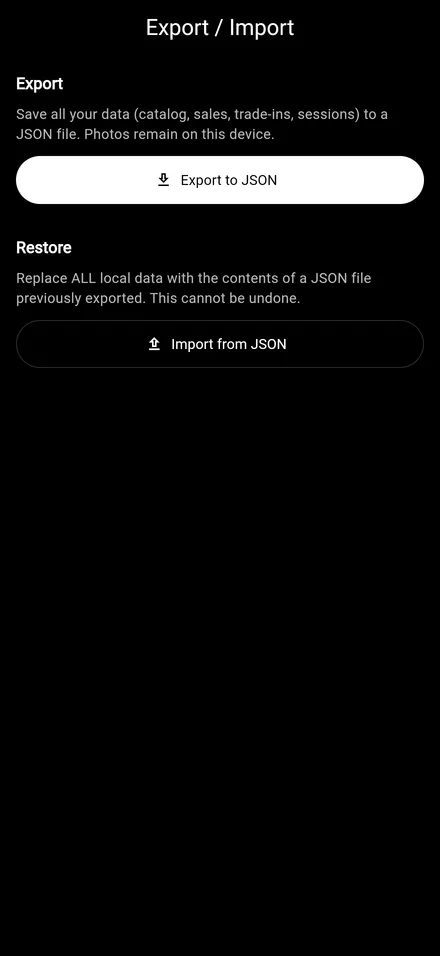
  • Versioned JSON export & import

    Versioned JSON export & import

    Every catalog, on Free and Pro, can be exported to a documented JSON schema and re-imported on another device. Your data stays yours forever — and the schema is the same one used by the future TCG whitelabel integration on the roadmap.

    • Versioned JSON schema (semantic versioning)
    • Export full catalog or filtered subset
    • Import on a fresh device or merge into an existing catalog
    • Available on Free too — no lock-in, ever

Channels & integrations

Connect once, the data flows. Your sheet on your Drive, your own payout account, your eBay storefront — never our middlemen.

Vendor Vault Channels screen with Google Sheets connection on iPhone
  • Google Sheets two-way sync
    Pro

    Google Sheets two-way sync

    Connect Google in one tap: your catalog mirrors to a private Sheet on your Drive. Edit price or quantity from your PC and the change flows back to the app automatically. OAuth scope is `drive.file` + `spreadsheets` — the app sees only the sheet it creates, nothing else on your Drive.

    • OAuth `drive.file` + `spreadsheets` — zero access to the rest of your Drive
    • Two-way: edit price / qty on PC, app picks it up
    • Single "vendor_vault: your-email" sheet — no folder clutter
    • Revoke at any time from your Google Account settings
  • Consignor Sheets Share
    Pro

    Consignor Sheets Share

    When you sell on behalf of another vendor, both of you want to see the same numbers. Vendor Vault publishes the consignment batch to a private Google Sheet on your Drive and emails the consignor a read-only link. They open it, you keep selling — no PDF exports, no spreadsheets to maintain.

    • One-tap share — Sheet auto-created on your Drive
    • Read-only link sent straight to the consignor
    • Live updates: every new sale appears in the sheet
    • Revenue split and balance computed automatically
  • Pro Coming soon

    eBay listing sync

    The same one-tap connect pattern as Google: link your eBay storefront, mirror your catalog as drafts, push updates without leaving the app. Rolling out next — same pattern, new channel.

    • One-tap OAuth — no API key juggling
    • Catalog mirror as eBay drafts to review before publish
    • Price + qty updates pushed both ways
    • Same connect pattern as Google Sheets
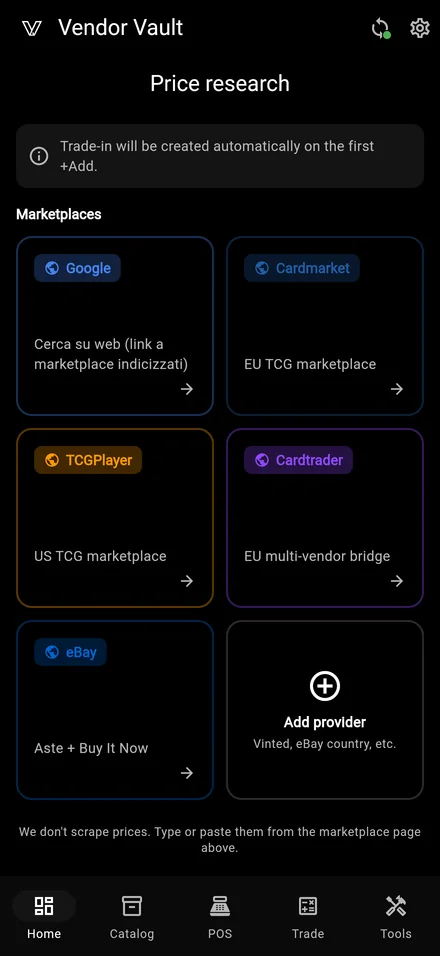
  • Cardmarket price lookup
    Pro Coming soon

    Cardmarket price lookup

    Tap a card in the catalog, see its Cardmarket trend / low / average pricing right inside the app. Helpful for trade-in offers and competitive pricing on the booth. Read-only — no listings, just the price signal.

    • Trend, low and average from Cardmarket
    • Per-card, on demand — no bulk hammering
    • In-app overlay, no browser context switch
    • Read-only — no listing management
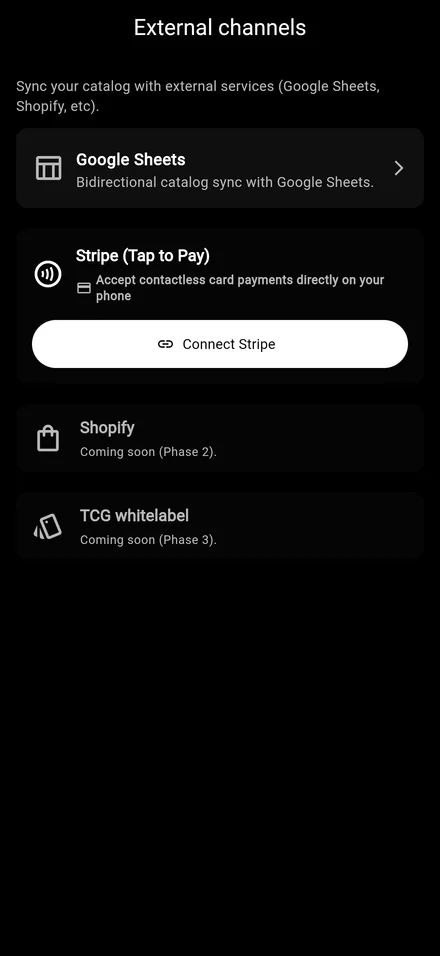
  • Tap to Pay + direct payouts

    Accept contactless cards on your phone via NFC — no terminal to buy, no machine to reconcile. Payouts land on your own connected payment account and we never touch your card or bank data. 1% application fee per transaction, on top of the payment processor’s own fees.

    • Tap to Pay on iPhone and Android — NFC on your own phone
    • Payouts go straight to your own connected payment account
    • Card data never touches your phone — PCI stays with the processor
    • 1% application fee per transaction, no monthly fees

Pro features

When the booth grows up: multi-device sync, cloud, analytics, multi-user, branding, grading and label printing. 7-day trial, no credit card.

Vendor Vault settings with Pro branding options on iPhone
  • Consignment management
    Pro

    Consignment management

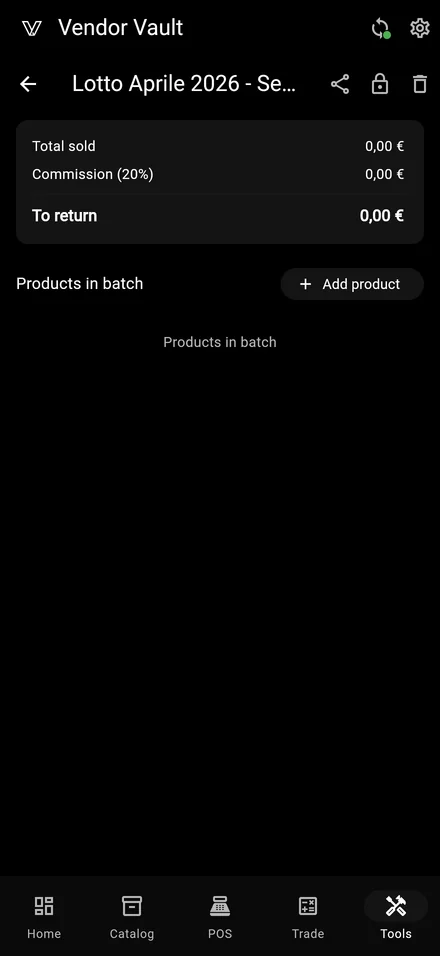
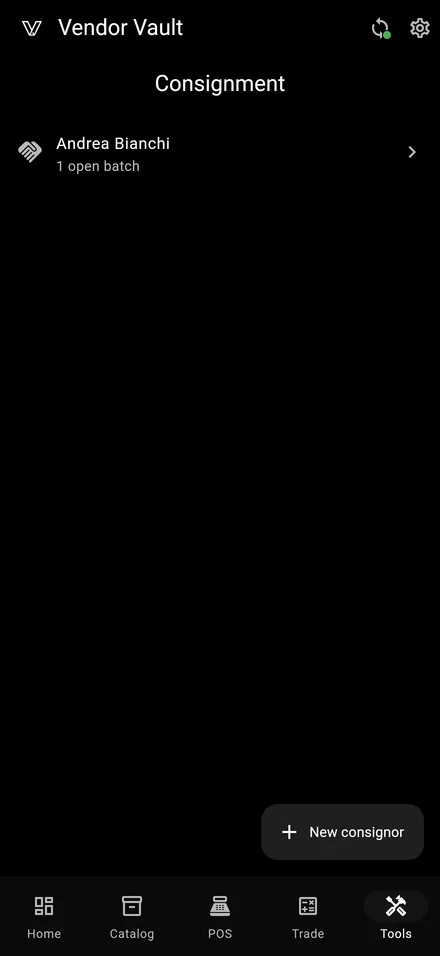
    Track items left on consignment by other vendors. Each batch holds the items, the split percentage and the running balance. Every sale tags the real owner so you always know who gets what — and the consignor can follow along in real time via the Sheets Share feature.

    • Per-batch percentage split (consignor vs you)
    • Running balance: sold, owed, paid out
    • Real owner tagged on every sale
    • Pairs with Consignor Sheets Share for live visibility
  • Trade-in C2C declaration PDF
    Pro

    Trade-in C2C declaration PDF

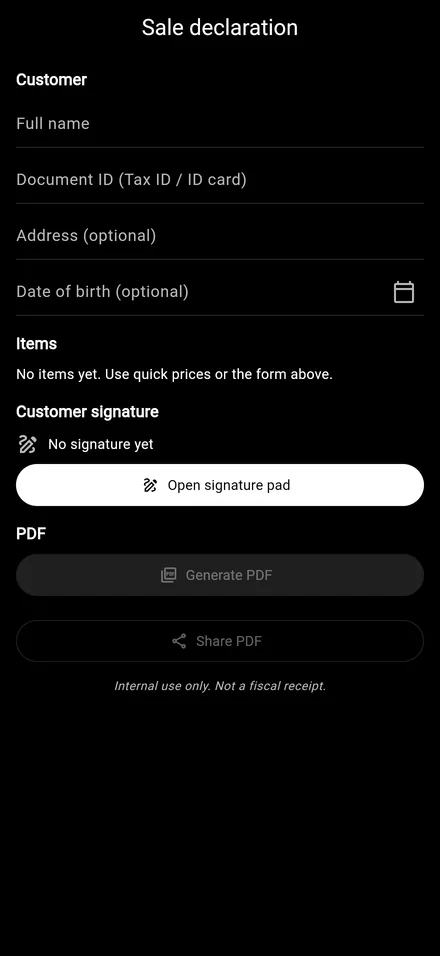
    Generate a C2C (consumer-to-consumer) declaration PDF for trade-in batches — required at some cross-border fairs to prove the goods are second-hand and not commercial imports. Fully filled from the trade-in record, ready to print or sign on screen.

    • PDF auto-filled from the trade-in record
    • Customer and item details pre-populated
    • Print or sign on screen, then store offline
    • Designed around real cross-border fair customs requests
  • Event ROI & analytics
    Pro

    Event ROI & analytics

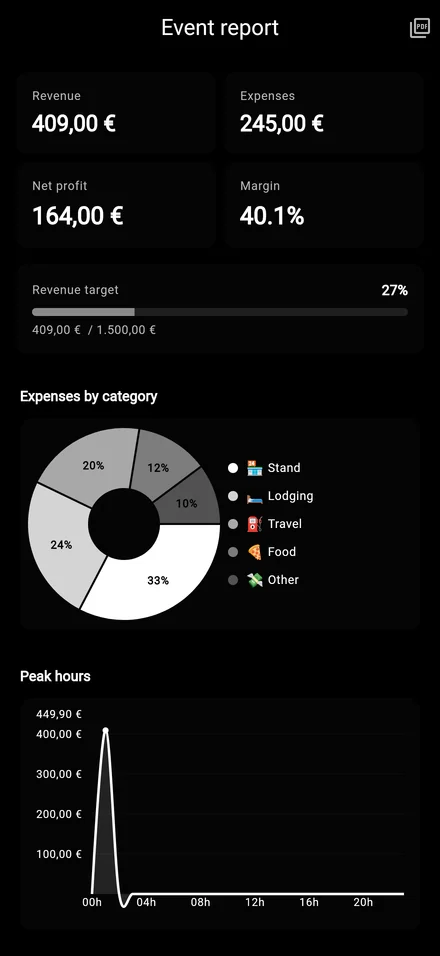
    Per-event revenue, COGS and expenses with a real margin number. Top products, peak hours, comparison across fairs — read your booth like an open book. Unlimited history to compare year over year.

    • Revenue − COGS − expenses, per fair
    • Top products + peak-hour breakdown
    • Year-over-year comparison with unlimited history
    • Quick filters: this fair, last fair, custom range
  • Branding: logo + accent color
    Pro

    Branding: logo + accent color

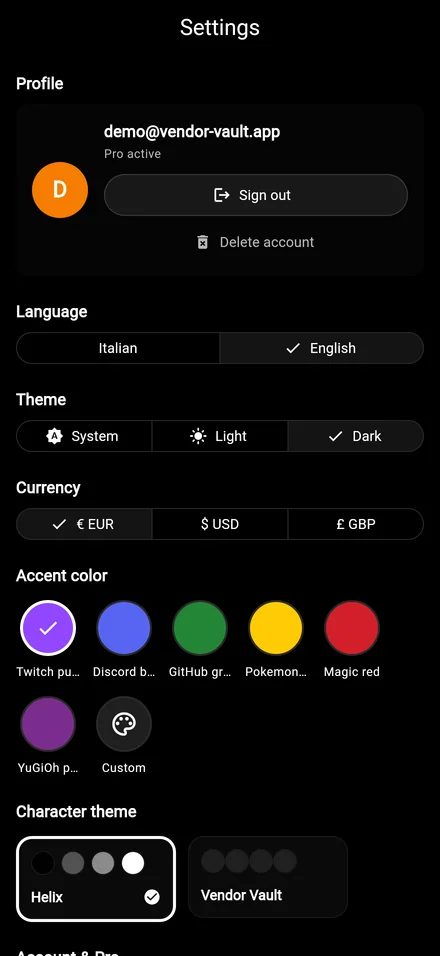
    Upload your shop logo, pick your accent color, pick the theme. QR receipts and JSON exports carry your brand. No more generic "Vendor Vault" on the materials you hand to your customers.

    • Custom logo upload (PNG / SVG)
    • Accent color picker — the whole UI adapts
    • Light, dark or system theme
    • Receipts and exports carry your brand
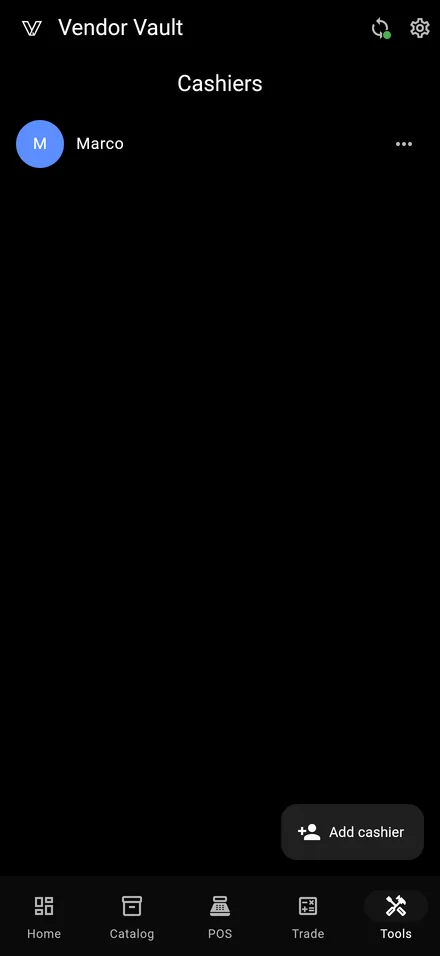
  • Multi-cashier with PIN attribution
    Pro

    Multi-cashier with PIN attribution

    Owner signs in once, additional cashiers enter with a local PIN (bcrypt-hashed). The POS header always shows who is selling, so you know who did what. Every sale is attributed to the active cashier — no more "who did this one?".

    • Owner via secure cloud account, cashiers via local bcrypt PIN
    • POS header always shows the active cashier
    • Each sale attributed to its cashier
    • PIN reset and cashier disable from settings
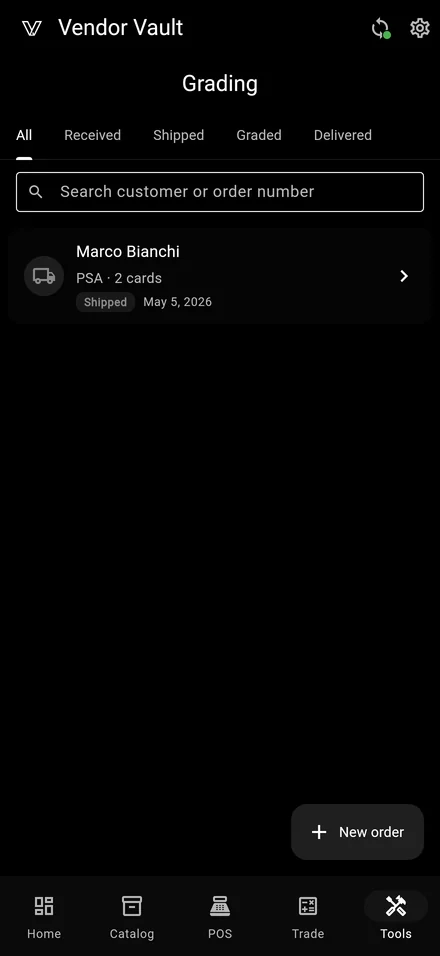
  • Grading lookup: PSA · BGS · SGC · GRAAD · ACE
    Pro

    Grading lookup: PSA · BGS · SGC · GRAAD · ACE

    Point the camera at a graded slab: QR, 1D barcode or just the serial via OCR. The app queries the grading company in the background and fills in name, year, set, grade and population data. Five providers live, 90-day local cache to keep it instant the second time around.

    • Five providers live: PSA, BGS, SGC, GRAAD, ACE
    • QR · 1D barcode · serial OCR — whichever the slab carries
    • 90-day local cache + per-user rate limit
    • Native WebView on iOS / Android — clean anti-bot handling
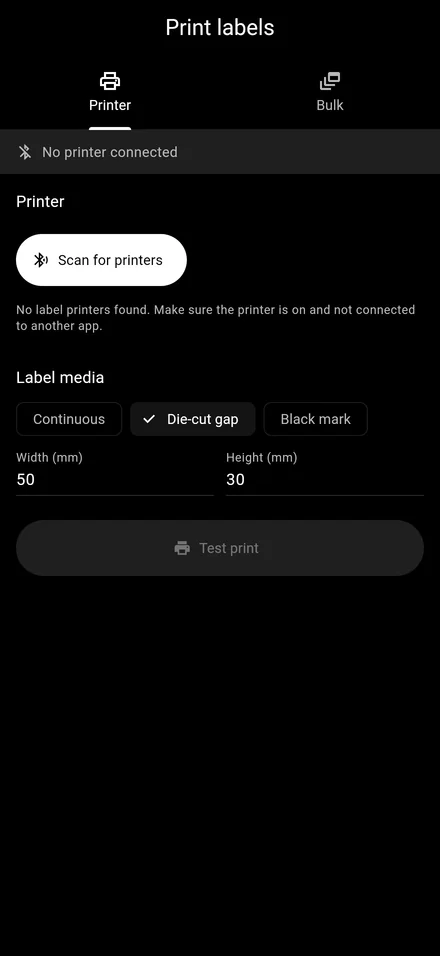
  • BLE label printing (TSPL2)
    Pro

    BLE label printing (TSPL2)

    Send product labels straight to a Bluetooth thermal printer using the TSPL2 protocol — name, price, barcode, optional logo. Works with the popular Phomemo / Niimbot-class printers. Pair once, print from the catalog with a single tap.

    • Bluetooth LE printer pairing in settings
    • TSPL2 protocol — broad printer compatibility
    • Label includes name, price, barcode and optional logo
    • Single-tap print from product detail and from POS

Pick the tier that fits your booth.

Free is complete on a single device, forever. Pro adds sync, cloud, channels, analytics and Tap to Pay — 7-day trial, no credit card.